Community feed & parent directory
Nothing is charged today. Cancel anytime.
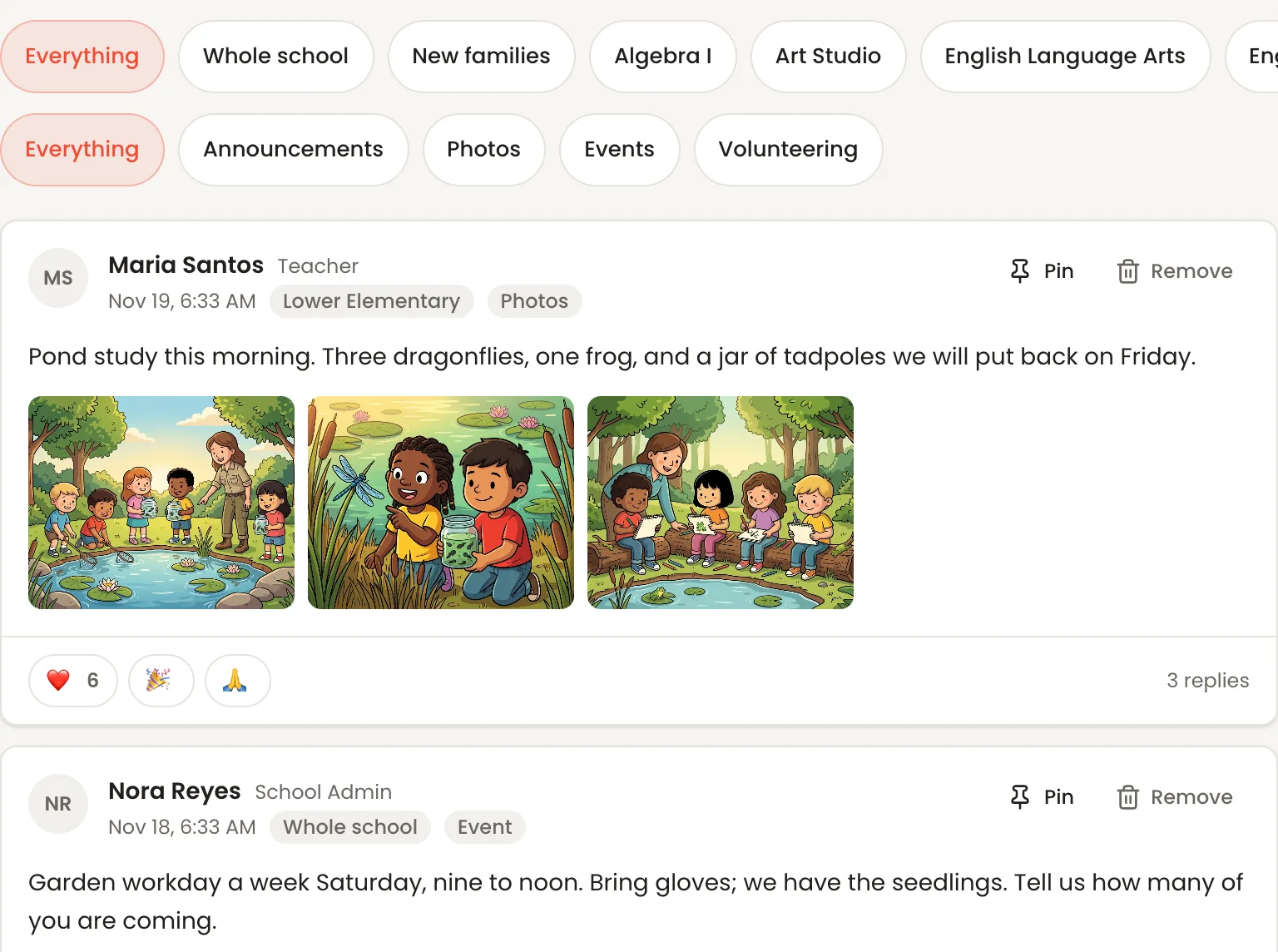
Pond study this morning. Ask them about the dragonfly.



Harvest potluck · Fri 5:30 PM
In short
Pearspark's Community is a private feed for one school's families and staff: class photos, questions, thank-yous and events. Rooms for the whole school, each class, each volunteer team and new families build themselves from your rosters, so nobody keeps a member list. Posts run in the order they were written, with no ads and no ranking. Families read and post in the portal they already use, and staff can read a room's posts before they go up. Community is off until you turn it on, and it is included in the price.
The rooms build themselves
Turn Community on and the rooms are already there: one for the whole school, one for each class, one for each volunteer team and one for new families. They follow your rosters. A family is in a class room because their child is in the class, and out of it when the child leaves. There is no member list to keep and no invitation to send.
Groups for everything else
Room parents, the auction committee, the carpool: make a group, say in a line what it is for and pick who is in it. Each room has its own rule for who writes: families and staff both, staff post and families reply, or announcements only. A group you fill by hand is invite-only. Mark one open and any family can join it, and leave it again without anyone being told.
Photos, with the release checked first
A post carries up to six photos. Before a teacher posts them, Pearspark counts the children in that room with no photo release on file and says so. Families filter the feed to one room, or to photos, events or volunteering, and react or reply under a post.
Events families answer on the post
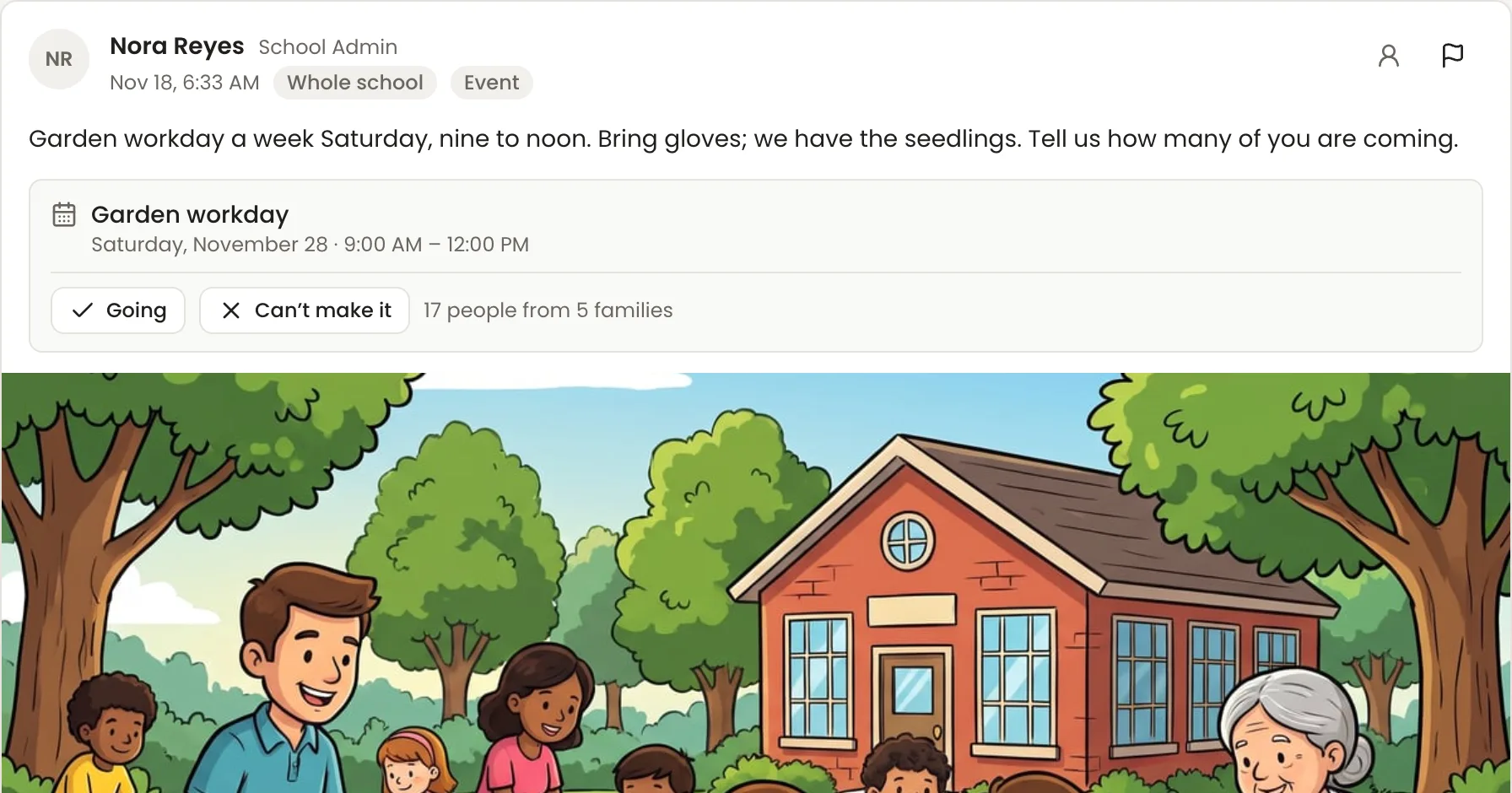
Share a calendar event or a volunteer day to the feed and families answer on the post itself. Put a price on an event, with a ticket for adults and another for children if you need them, and each family says how many are coming and sees its total. Nobody is billed until you bill the fee from the RSVP list. Then it goes on the family's invoice.
You decide what goes up
The rooms built from your rosters post at once. Tick one box on a room and family posts wait for a staff read instead; the groups you create start that way. Anyone in a room can report a post or a reply. Held posts and reports wait in one queue. Removing a post takes it down and keeps the record, and closing a report asks what you did about it.
A directory families control
Each parent has a card: their name, their children, and a photo and a line about themselves if they add them. An email address or phone number shows only when that parent ticks the box, and a parent can hide their children's names. Where a custody arrangement is on file for a child, the child's link comes off the card for everyone, and no setting puts it back.
Students, if you want them
A student reads the rooms for their own classes and nothing else: not the school feed, not the directory, not the groups. Let a class write as well, and every post and reply a student writes waits for a moderator before anyone else sees it.
Quiet at night
A new post can reach a family's phone as a notification. Those hold between 9 at night and 7 in the morning, school time. A parent can mute any room, or turn community notifications off and read the feed when they choose.
What's included
- A private feed for one school's families and staff
- Rooms for the whole school, each class, each volunteer team and new families, built from your rosters
- Groups you create: invite-only or open to join
- Three posting rules per room: open, staff post and families reply, or announcements only
- Posts in the order they were written, never ranked, with no ads
- Up to six photos a post, with a count of children who have no photo release
- Reactions and replies
- Filter by room, or by photos, events and volunteering
- Event RSVPs on the post, with priced tickets billed to the family's invoice
- Hold family posts for a staff read, room by room
- Reports, a moderation queue, and removed posts kept on record
- A parent directory where contact details show only by choice
- Children's links hidden where a custody arrangement is on file
- Students read their own class rooms; anything they write is approved first
- No post notifications from 9 at night to 7 in the morning; mute any room
- Search across posts, replies and people
- A welcome letter each family reads the first time they open the feed, in your words
- Off until you turn it on; included in the price
All of it is part of the one price: $50 a month including 20 students, then $2.50 a student, stepping down as you grow (see the bands). Nothing on this page is a paid add-on.
See it done, one task at a time
All 11 videosReal screen recordings, one task a minute.
Common questions
Does Community cost extra?
How do we turn it on?
We use a group chat and a private social media group today. Why move?
Can we keep it to announcements and stop families posting?
Who can see what a family posts?
Do parents need another app?
Can new families join before their first day?
Weighing Pearspark against something else?
All 18 comparisons are sourced feature by feature and last reviewed September 2026.
Try it in your own school
See it working on video, one minute a task, then set it up yourself. Your first 30 days are free.